
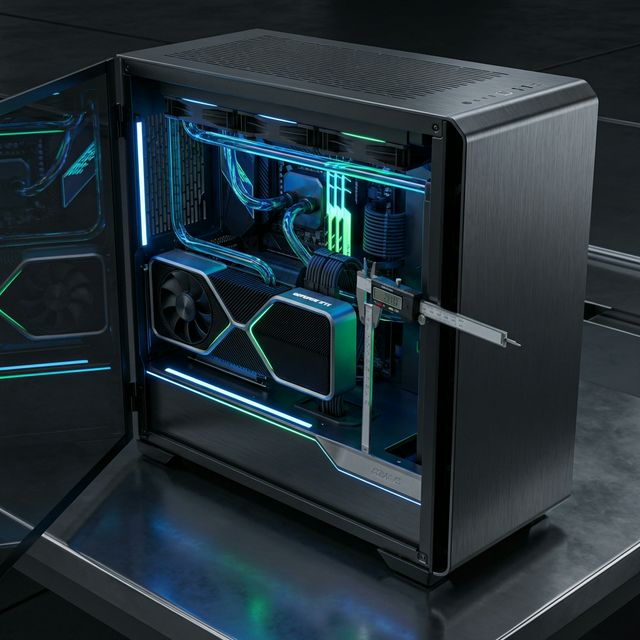
Latest 2026 Database

PC Build GuidePC Case Size & GPU Clearance Checker

Will it fit? Select your Graphics Card and PC Case to instantly check clearance and compatibility.

Launch Tool
Trusted by 50k+ Builders
GPU Clearance Checker Hero
Search for a GPU...
Search for a Case...

Compare your graphics card dimensions against the maximum allowed case clearance.

Expert Summary
"You know your GPU will fit when you compare the graphics card length to your PC case maximum GPU clearance. You must also subtract extra space if you install front-panel fans or an AIO liquid cooler radiator in the front."
🧊

The Front-Mount Radiator Trap

Many builders forget to account for front mounted cooling. When you install an AIO liquid cooler or thick fans in the front of your case, you lose valuable space.

A standard radiator reduces your actual GPU clearance by 25mm to 30mm. Always subtract the AIO radiator thickness from the case maximum length before you buy a new video card.

🔌

Width and Cable Clearance

Modern 40-series cards are very wide. You need to account for the new 12VHPWR power cable. This stiff cable bends against the glass side panel of narrow cases.

Some builders use right angle adapters. Others choose wider cases like ATX over Mini-ITX to prevent cables from touching the glass. PCIe slot sag also happens when you mount heavy cards without a support bracket.

📏

Top-Mount Clearance and Motherboard VRMs

Clearance is more than just length. When mounting an AIO radiator at the top of the case, you must check the distance to the motherboard. Thick VRM heatsinks on high-end boards often block top-mounted fans.

Standard fans are 25mm thick. Liquid cooling radiators add another 27mm to 30mm. If your case is compact, these parts might touch your RAM sticks or the CPU power cables.

📦

Small Form Factor (SFF) Challenges

Building in a Mini-ITX case requires precision. Small cases like the Cooler Master NR200 specify max GPU length and slot thickness. A card that is too thick will touch the bottom fans or the case floor.

Check if your SFF case supports 3-slot GPUs. Many older compact designs only fit 2-slot cards. Vertical mounting can sometimes help, but it often increases temperature by placing the card close to the side panel.

GPU Sag and Structural Support

Long graphics cards are heavy. Over time, gravity pulls the end of the card down. This puts stress on the motherboard PCIe slot. You might see the card tilting or sagging at the edge.

Use a GPU support bracket to prevent damage. Many modern cards include a metal brace in the box. If yours didn't, a simple vertical pillar or a horizontal bracket keeps the card level and protects your hardware.

Frequently Asked Questions

Common questions from our hardware community

Can I remove drive bays to fit a larger GPU?

Yes. Older cases let you unscrew or drill out hard drive cages. This opens up the front airflow path and adds extra clearance for longer graphics cards.

Are Founders Edition cards smaller than custom AIB coolers?

Yes. NVIDIA limits Founders Edition models strictly to two or three slots. Custom AIB coolers often use thicker heatsinks and three fans. These aftermarket models take up more space and require more case clearance.

How do I prevent PCIe slot sag with a heavy GPU?

You stop sag by installing a support bracket. Heavy cards pull down on the motherboard slot over time. A simple metal brace or vertical stand supports the weight and keeps the card level.

How do I measure GPU length accurately?

Measure from the metal bracket where the ports are to the very end of the plastic shroud. If the card has a backplate that extends further, include that in your measurement.

Does a vertical GPU mount help with clearance?

Vertical mounting usually doesn't change length clearance, but it can help with card thickness. However, it often puts the card very close to the glass, which blocks airflow. Only use vertical mounts in cases designed for them.

What is the difference between slot thickness and length?

Length is how far the card stretches from the back of the case to the front. Slot thickness is how many expansion slots the card covers on the motherboard. A 3-slot card is much thicker than a 2-slot card.