
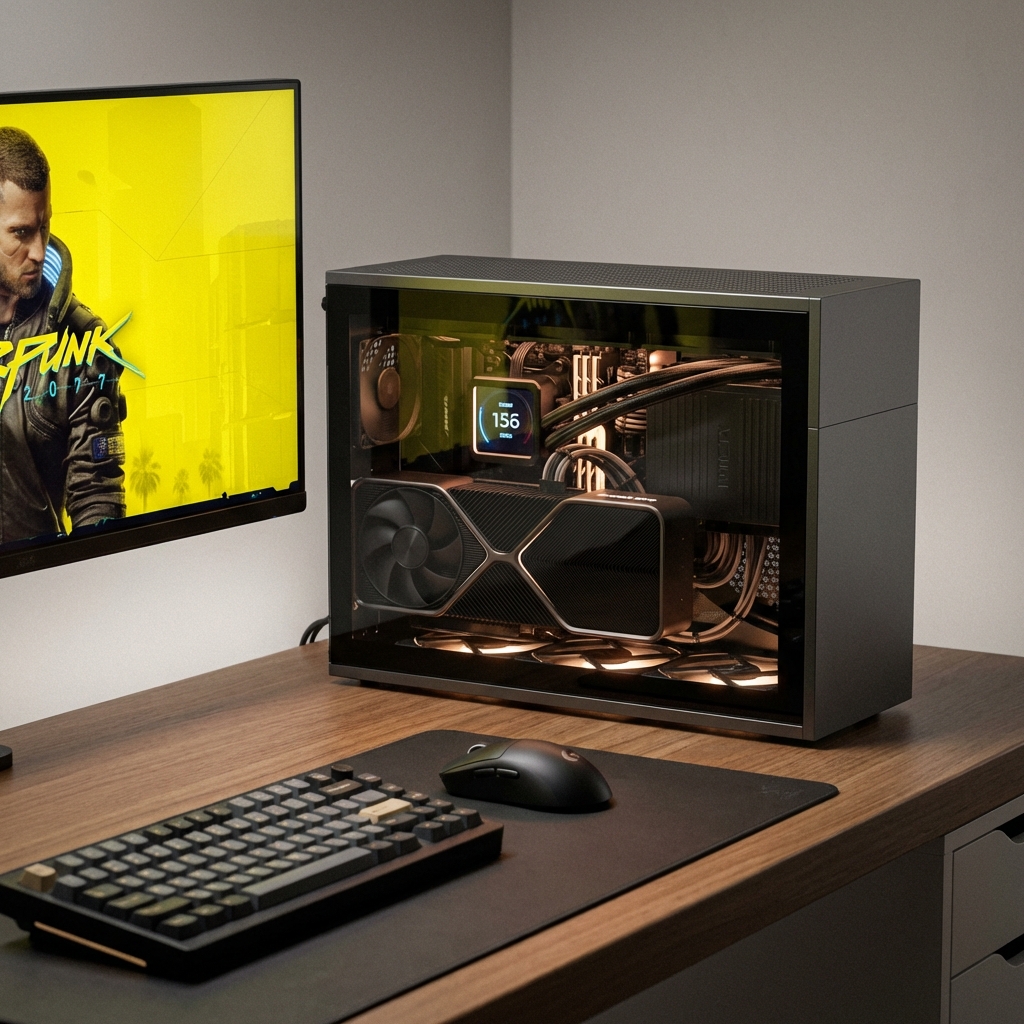
Introduction: The Appeal of Mini-ITX Gaming PCs
Mini-ITX gaming builds represent the perfect marriage of power and portability. These compact systems pack high-end gaming performance into a footprint that's often less than 20% the size of traditional mid-tower cases. Whether you're a student with limited desk space, a LAN party enthusiast, or simply someone who appreciates elegant, space-efficient design, a Mini-ITX build offers incredible value.
Modern Mini-ITX systems can achieve 95% of the performance of their full-sized counterparts while occupying minimal space. With careful component selection and proper planning, you can build a system that rivals any mid-tower build in gaming performance.
"Mini-ITX builds prove that size doesn't determine power. A well-planned compact build can deliver exceptional gaming performance while fitting comfortably on any desk."
— PC Building Expert, 2025
Understanding Mini-ITX Form Factor
Mini-ITX motherboards measure just 6.7" x 6.7" (170mm x 170mm), making them significantly smaller than standard ATX (12" x 9.6") or even Micro-ATX (9.6" x 9.6") boards. This compact size comes with both advantages and challenges.
Form Factor Comparison
| Product | Feature |
|---|---|
| Mini-ITX | Best For: Compact builds |
| Micro-ATX | Best For: Budget builds |
| ATX | Best For: Full features |
| Mini-ITX Advantages | Efficient use of space |
Key Considerations: Mini-ITX boards typically have only two RAM slots and a single PCIe slot, limiting expansion options. However, modern Mini-ITX boards often include premium features like Wi-Fi 6E, multiple M.2 slots, and robust VRM designs that rival larger boards.
Component Selection Guide
Choosing the right components is crucial for a successful Mini-ITX build. Every component must be carefully selected to ensure compatibility and optimal performance within the compact form factor.
Motherboard Recommendations
Motherboard
Chipset
Key Features
Price
ASUS ROG Strix Z790-I
Intel Z790
Wi-Fi 6E, 3x M.2 slots, Premium VRM
$450
ASRock B650E PG-ITX
AMD B650E
PCIe 5.0, 2x M.2 slots, Good value
$280
Gigabyte B760I AORUS
Intel B760
DDR5 support, Wi-Fi 6, Affordable
$200
MSI MPG B650I Edge
AMD B650
PCIe 5.0, 2x M.2, RGB lighting
$250
CPU Selection
For Mini-ITX builds, thermal efficiency is as important as raw performance. High-core-count CPUs generate significant heat, which can be challenging to manage in compact cases.
Recommended CPUs for Mini-ITX
Intel Options: Core i5-14600K (excellent balance), Core i7-14700K (high performance), Core i9-13900K (if cooling allows)
AMD Options: Ryzen 5 7600X (great value), Ryzen 7 7700X (strong performance), Ryzen 9 7900X (high-end, requires excellent cooling)
Key Consideration: Lower TDP CPUs are easier to cool in Mini-ITX cases. Consider the Ryzen 7 7800X3D for gaming, as it offers exceptional performance with manageable heat output.
GPU Selection
GPU selection is critical for Mini-ITX builds. You must ensure the card fits within your case's dimensions. Most Mini-ITX cases support GPUs up to 330mm in length, but some compact cases limit you to 280mm or less.
| GPU | Length | Performance | Best For |
|---|---|---|---|
| NVIDIA RTX 4070 Super | 246mm | Excellent 1440p | Most Mini-ITX cases |
NVIDIA RTX 4080 Super
304mm
4K gaming
Larger Mini-ITX cases
AMD RX 7800 XT
267mm
Great 1440p
Most Mini-ITX cases
NVIDIA RTX 4060 Ti
242mm
1080p/1440p
Compact cases
RAM Selection
Mini-ITX motherboards have only two RAM slots, so choose wisely. 32GB (2x16GB) DDR5 kits are the sweet spot for gaming and productivity. Look for low-profile RAM to ensure compatibility with larger CPU coolers.
Storage
M.2 NVMe SSDs are perfect for Mini-ITX builds—they're fast, require no cables, and save valuable space. Most Mini-ITX boards have 2-3 M.2 slots. A 1TB primary drive plus a 2TB secondary drive provides excellent capacity without clutter.
Power Supply
Mini-ITX cases typically require SFX or SFX-L power supplies. These compact units are more expensive than standard ATX PSUs but essential for the form factor. Choose a quality 750W-850W SFX PSU for high-end builds, or 600W-650W for mid-range systems.
Case Selection: Finding the Perfect Mini-ITX Case
The case is arguably the most important component in a Mini-ITX build. It determines what components you can use and how well your system will cool.
Top Mini-ITX Cases for 2025
| Product | Feature |
|---|---|
| Cooler Master NR200P V3 | Best Overall |
| Fractal Design Terra | Ultra Compact |
| Lian Li A4-H2O | AIO Support |
| NZXT H1 V2 | All-in-One |
Case Selection Tips
Check GPU Clearance: Always verify your GPU will fit. Measure the card's length, width, and height, and compare to case specifications.
CPU Cooler Height: Low-profile air coolers or AIO liquid coolers are often necessary. Check maximum cooler height before purchasing.
Airflow Design: Look for cases with mesh panels and multiple fan mounting points. Good airflow is crucial in compact builds.
Build Quality: Premium cases offer better build experience, cable management options, and overall quality. Consider it an investment.
Cooling Solutions for Mini-ITX
Effective cooling is the biggest challenge in Mini-ITX builds. Limited space means you need to be strategic about your cooling approach.
CPU Cooling Options
Cooler Type
Height Limit
Performance
Best For
Low-Profile Air Cooler
48-77mm
Good
Ultra-compact cases
Compact Tower Cooler
120-155mm
Excellent
Standard Mini-ITX cases
120mm AIO
N/A
Very Good
Cases with AIO support
240mm AIO
N/A
Excellent
Larger Mini-ITX cases
Recommended CPU Coolers
| Product | Feature |
|---|---|
| Low-Profile | Height: 48-70mm |
| Compact Tower | Height: 120-155mm |
| AIO Liquid | 240mm preferred |
| Case Fans | Optimize airflow paths |
Complete Build Recommendations
Here are three complete Mini-ITX build configurations for different budgets and performance targets:
Budget Mini-ITX Build ($1,200)
Component
Model
Price
CPU
AMD Ryzen 5 7600X
$250
Motherboard
Gigabyte B650I AORUS
$200
GPU
NVIDIA RTX 4060 Ti
$400
RAM
32GB DDR5-6000 (2x16GB)
$120
Storage
1TB NVMe SSD
$80
PSU
650W SFX
$120
Case
Cooler Master NR200P
$130
Mid-Range Mini-ITX Build ($2,000)
Component
Model
Price
CPU
AMD Ryzen 7 7800X3D
$450
Motherboard
ASRock B650E PG-ITX
$280
GPU
NVIDIA RTX 4070 Super
$600
RAM
32GB DDR5-6000 (2x16GB)
$120
Storage
2TB NVMe SSD
$150
PSU
750W SFX
$150
Case
Lian Li A4-H2O
$140
Cooler
240mm AIO
$110
High-End Mini-ITX Build ($3,000+)
Component
Model
Price
CPU
Intel Core i7-14700K
$400
Motherboard
ASUS ROG Strix Z790-I
$450
GPU
NVIDIA RTX 4080 Super
$1,000
RAM
32GB DDR5-6400 (2x16GB)
$150
Storage
2TB NVMe SSD
$150
PSU
850W SFX
$180
Case
Cooler Master NR200P V3
$150
Cooler
240mm AIO
$120
Building Tips and Common Mistakes
Building a Mini-ITX PC requires patience and attention to detail. Here are essential tips to ensure a successful build:
Build Process Checklist
| Product | Feature |
|---|---|
| Pre-Build | Test components outside case first |
| Assembly | Route cables before GPU |
| Cable Management | Keep airflow paths clear |
| Cooling | Monitor during stress tests |
Common Mistakes to Avoid
Inadequate Cooling: Don't underestimate cooling requirements. High-end components in small spaces generate significant heat. Invest in quality cooling solutions.
Poor Cable Management: Disorganized cables obstruct airflow and make maintenance difficult. Take time to route cables properly.
Component Compatibility: Always verify GPU length, CPU cooler height, and PSU compatibility before purchasing. Measure twice, buy once.
Rushing the Build: Mini-ITX builds require patience. Rushing leads to mistakes, damaged components, or poor performance. Take your time.
Ignoring Airflow: Proper airflow is critical. Ensure intake and exhaust fans are properly configured, and don't block ventilation with cables or components.
Performance Expectations
Many people wonder if Mini-ITX builds sacrifice performance for size. The answer is: not significantly. Well-built Mini-ITX systems achieve 95% of the performance of identical components in larger cases.
Real-World Performance
Gaming Performance: With proper cooling, Mini-ITX builds match mid-tower performance in gaming. GPU performance is unaffected by case size when temperatures are managed.
CPU Performance: Modern Mini-ITX cases with good airflow allow CPUs to maintain boost clocks similar to larger cases. Thermal throttling is rare with proper cooling.
Noise Levels: Smaller cases can be quieter than large cases when properly configured, as fans don't need to work as hard to move air through the compact space.
Thermal Performance: While challenging, modern Mini-ITX cases with mesh panels and optimized airflow can maintain excellent temperatures even under heavy loads.
Conclusion: Building Your Perfect Mini-ITX Gaming PC
Mini-ITX gaming builds offer an incredible combination of performance and portability. With careful component selection, proper cooling, and attention to detail during assembly, you can create a compact system that rivals any full-sized build.
Final Recommendations
Start with the Case: Choose your case first, as it determines all other component choices. Consider your space constraints and cooling needs.
Prioritize Cooling: Don't skimp on cooling solutions. Quality CPU coolers and case fans are essential for maintaining performance.
Plan Your Build: Measure everything, verify compatibility, and plan cable routing before starting assembly.
Be Patient: Mini-ITX builds take longer than standard builds. Take your time, follow guides, and don't rush.
Whether you're building your first Mini-ITX system or your tenth, the satisfaction of creating a powerful, compact gaming rig is unmatched. With the right components and approach, you'll have a system that's both small and mighty.
Tags

Hardware enthusiast and PC build advisor. Alex tests CPUs, GPUs, and memory to help gamers and creators make smarter upgrade decisions.
Follow on Reddit