

Will Your PC Run GTA 6? The 2026 Performance & Bottleneck Guide
The wait is almost over. Grand Theft Auto VI is set to be the biggest entertainment launch in history. But as we get closer to the release, excitement is turning into fear for many PC gamers.
The question isn’t just “Can I run it?” The real question is: “Will my CPU survive it?”
Rockstar Games has a history of crushing hardware. Red Dead Redemption 2 brought top-tier PCs to their knees in 2018. GTA VI, powered by the upgraded RAGE 9 Engine, is poised to do the same.
We analyzed the engine’s capabilities to predict the system requirements and explain why this game might cause the biggest “CPU Bottleneck” we have ever seen.
The “RAGE 9” Engine: Why It Eats CPUs
Most modern games are “GPU-Bound,” meaning your graphics card does the heavy lifting. GTA VI will be different. It is expected to be heavily CPU-Bound.
Why? Because of the Rockstar Advanced Game Engine (RAGE) 9.
1. The Simulation Cost
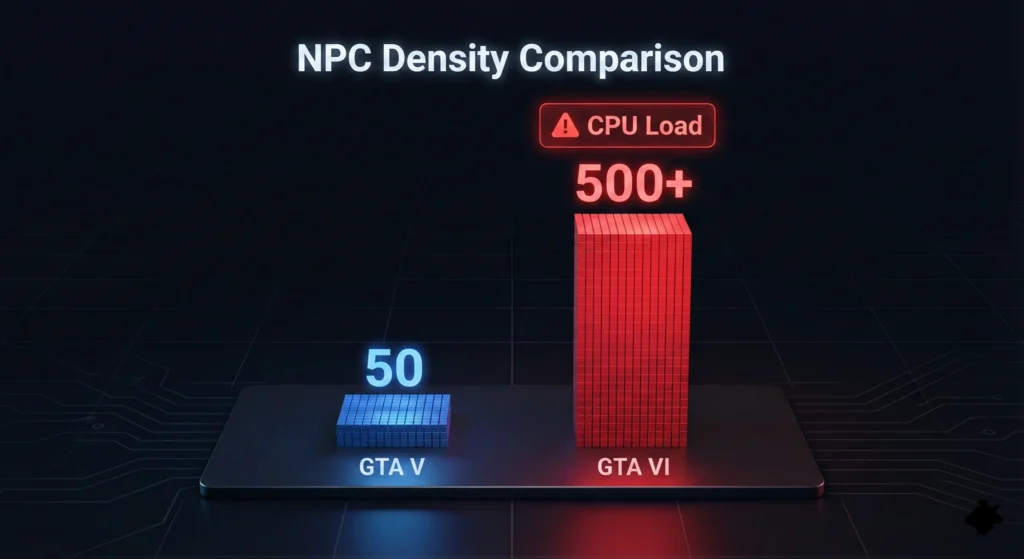
In GTA V, the CPU tracked about 30-40 NPCs (pedestrians) on a street. Leaks suggest GTA VI will track hundreds, each with their own persistent routines, AI moods, and physics interactions.
2. Euphoria Physics 2.0
Rockstar uses “Euphoria” physics to make characters stumble, fall, and react realistically. Calculating these physics in real-time for dozens of characters simultaneously requires immense processing power.
The Result: If you are running an older 6-core processor (like a Ryzen 5 3600 or Core i5-10400), your CPU will likely hit 100% usage trying to calculate the city’s logic. Your powerful graphics card will sit idle, waiting for instructions.
Predicted System Requirements (2026 Estimates)
Note: These are estimated based on RAGE 9 engine analysis and current hardware trends. Official specs may vary.
Minimum Specs (1080p Low / 30 FPS)
Aiming for a console-like experience.
- CPU: AMD Ryzen 5 5600X / Intel Core i5-12400F
- GPU: NVIDIA RTX 3060 (12GB) / AMD Radeon RX 6700 XT
- RAM: 16GB (Mandatory)
- Storage: SSD Required (150GB+)
Recommended Specs (1440p High / 60 FPS)
The sweet spot for most gamers.
- CPU: AMD Ryzen 7 7800X3D / Intel Core i7-14700K
- GPU: NVIDIA RTX 4070 Ti Super / AMD Radeon RX 7900 GRE
- RAM: 32GB (Highly Recommended)
Ultra / 4K Ray Tracing Specs
For the “Vice City” visual experience.
- CPU: AMD Ryzen 9 9950X / Intel Core i9-14900K
- GPU: NVIDIA RTX 5080 / RTX 4090
- VRAM: 16GB+ is essential for 4K textures.
The “Bottleneck Trap”: Don’t Play at 1080p
This sounds counter-intuitive, but playing GTA VI at 1080p might actually make your performance worse if you have a weak CPU.
As we explained in our 1080p vs 4K Bottleneck Guide, lowering the resolution shifts the workload to the processor.
- The Scenario: You drop settings to “Low” and resolution to 1080p to get more FPS.
- The Problem: The CPU is now hammered by physics calculations and cannot keep up. You get high average FPS, but massive “stuttering” (freezes) every time you drive fast or enter a crowded area.
The Fix: If you are CPU-bottlenecked in GTA VI, try raising your resolution (or using DLDSR) to 1440p. This forces the GPU to work harder and might actually smooth out your frame times.
How to Prepare Your Rig Today
You don’t need to wait for launch day to know if your PC will struggle. The bottlenecks of GTA VI will be similar to Cyberpunk 2077 (Phantom Liberty) and Dragon’s Dogma 2.
1. Upgrade to “X3D”
If you are on the AM5 platform, the Ryzen 7 7800X3D is the ultimate upgrade. Its 3D V-Cache is specifically designed to handle the complex physics and AI found in open-world games.
2. Check Your VRAM
Vice City will feature high-resolution textures. 8GB cards (like the RTX 3070) will likely suffer from “texture pop-in” or stuttering. If you are buying a GPU today, aim for 12GB or 16GB VRAM.
3. Will DLSS 4 Save Me?
NVIDIA’s Frame Generation can smooth out visuals, but it cannot fix a CPU bottleneck. If your processor is too slow to calculate the game logic, “Frame Gen” will only add input lag. You need raw CPU power first.
Conclusion: Don’t Guess, Test.
GTA VI will be a hardware beast. Will your current PC handle the heat, or will it turn into a slideshow?
Don’t wait until you’ve already bought the game to find out. Enter your current CPU and GPU into our calculator to see where your weak link is.