
Automate Small Biz SEO Without Losing Local Control
How Local Owners Can Automate Small Biz SEO Without Losing Control
Running a small business is tough. You juggle customers, cash flow, and staff. Search visibility often slips down the list. Here you will learn how to automate key SEO tasks, keep control of your brand, and win more local customers without living inside marketing tools all day.
Why Small Biz Owners Should Lean On SEO Automation
Most small shops and service firms share the same pain. You know search traffic matters, but you lack time, tools, and deep tech skills. This is where smart automation steps in.
Automation does not replace strategy. It supports routine work you should not do by hand each week. Think about tasks like tracking rankings, checking broken links, or posting a new product update across several channels.
Done right, these tools free hours each month. You then focus on offers, customer service, and local partnerships. A good setup can run while you serve clients or close deals.
Research from HubSpot and Semrush shows that local firms that track and improve organic search performance win more steady leads over time. Those wins usually come from simple, repeatable actions. That is perfect for automation.
The goal here is clear. Keep the brain work human. Let software handle the boring, repeatable clicks.
Clarifying Your SEO Goals Before You Automate Anything
Before installing any tool, you need a clear map. Many owners buy software, then let it sit. That wastes money and energy.
Start with your true business goals, not a vanity wish. You likely want more phone calls, online bookings, or walk ins. Website traffic alone is not enough.
Translate those goals into simple SEO targets such as:
- More visits from people in your town or region
- Better visibility for your main service keywords
- More clicks on directions, calls, or contact links
Then, set a few clear metrics. Examples include volume of organic traffic, calls from your Google Business Profile, and leads from contact forms. Analytics from Google Search Console, Google Analytics, and your call tracking app can show these.
Once you know what you track, you can decide which tasks should run on autopilot. That prevents shiny tool overload and keeps your process tight.
SEO Tasks That Make Sense To Automate First
Not every SEO job belongs in a system. Some need your voice and judgment. Others fit automation perfectly because they repeat and follow a pattern.
Good starting points include:
- Keyword discovery and trend checks
- Rank tracking and reporting
- Technical audits and error alerts
- Review requests and follow ups
- Publishing and sharing content once it is written
These areas give strong impact with low risk. You still decide what to write, which offers to push, and how to speak to neighbors. The tools simply scan, ping, and post for you.
Think of automation as a quiet staff member. It watches your site, reminds you of issues, and runs reports on time. You make the key calls.
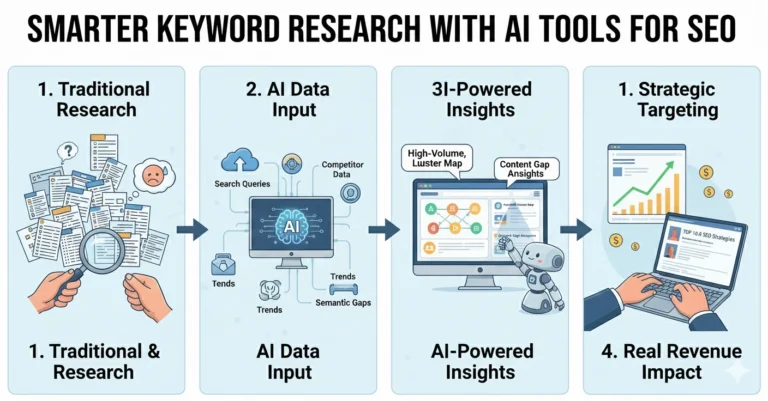
Setting Up Automated Keyword Research Workflows
Choosing the right search phrases used to take hours. Now you can speed this work with tools that point you in the right direction.
Start with a main keyword related to your core service. For example, a local plumber might begin with “emergency plumbing” and “water heater repair.” A bakery may use “custom cakes” and “birthday cupcakes.”
Use platforms such as Semrush, Ahrefs, or Moz to:
- Discover related long tail queries your customers actually use
- Check search volume and difficulty levels
- Spot local variations and seasonal swings
Most tools allow saved lists and scheduled refreshes. Set monthly or quarterly scans. The system sends new phrase ideas and drops out terms that no longer draw interest.
Plug the best phrases into a shared spreadsheet or project board. Tag them by intent such as research, compare, or ready to buy. This guide will shape your content calendar and ad copy as well.
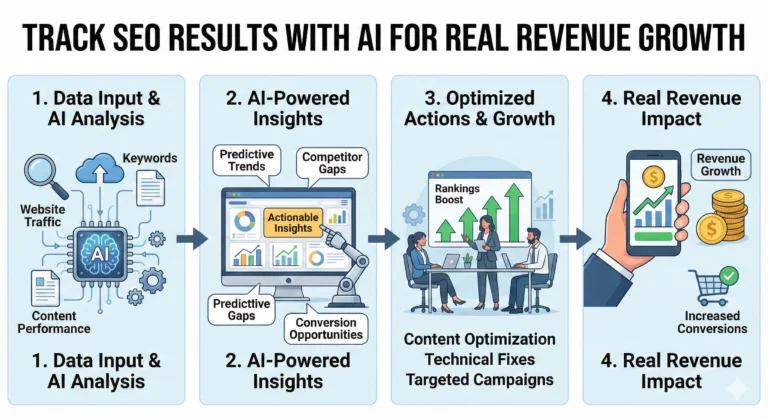
Automating Rank Tracking And Simple Reporting
Knowing where you show up in search is vital. Checking manually is slow and often inaccurate, since results shift by location and history.
Use a rank tracking platform with local filters. Good examples include Whitespark, BrightLocal, and the rank tools inside Semrush or Ahrefs. Set your target city, town, or postal code for more precise signals.
Choose your priority phrases rather than thousands of random keywords. Focus on terms tied directly to sales or key services.
Then schedule automated reports:
- Weekly snapshots for priority keywords
- Monthly trend summaries for organic traffic
- Quarterly growth views for decision making
Send these summaries to your email, or your team chat system. Add simple color coding so you can scan results in seconds. Use this data to adjust topics, refine pages, and track the real effect of your work.
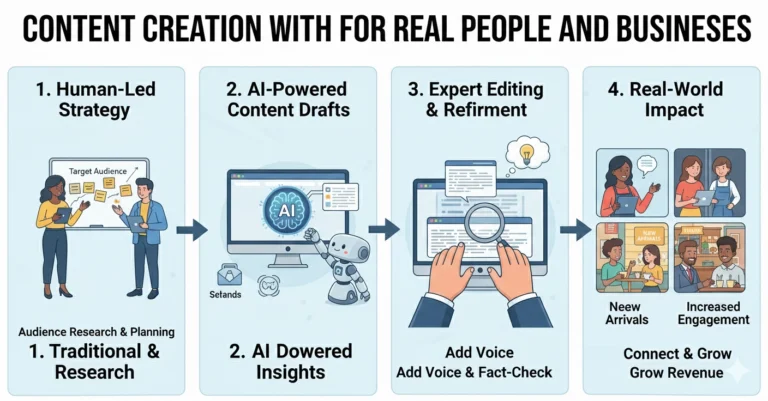
Using Smart Tools To Automate Content Planning
Content still drives most organic growth. The hard part is picking topics and posting on a regular rhythm. Automation can keep your plan steady.
Blend keyword research with real questions you hear from local customers. Pull common themes from your email inbox, contact forms, and sales calls.
Then use planning tools such as Trello, Asana, or Notion to create a content board. Set up:
- Idea lists based on search topics and customer pain points
- Simple workflows from outline to draft to publish
- Due date reminders so posts do not slip
Many SEO suites also provide topic suggestion features and search intent clusters. These can hint at related posts, FAQs, or guides your community needs.
Remember, the writing itself should still sound like you and your team. Use templates for structure, but keep the voice personal and local. Automation should never strip out your personality or values.
Automating Local SEO With Google Business Profile
For neighborhood shops, Google Business Profile often sends more leads than the website. This listing appears in local map packs and on mobile search.
Start with full data. Add correct name, address, and phone number. Include hours, categories, and real photos. Then use automation for updates and posts.
Many small business marketing tools can:
- Schedule Google Business posts in advance
- Send alerts when hours need changes for holidays
- Track clicks on calls and directions
Keep your listing in sync with your website and other directories. Tools like Yext, Whitespark, or BrightLocal help push consistent data to many platforms at once.
This lowers the risk of wrong phone numbers or outdated hours, which frustrate customers and can hurt search trust signals.
Automating Review Requests And Reputation Management
Online reviews now act like digital word of mouth. Data from BrightLocal shows that most shoppers read reviews before visiting a local business. You need a steady flow of fresh, genuine feedback.
Manual review requests can feel awkward and easy to forget. Automation makes it smooth and fair. Tie review invites to your normal sales or service flow.
Options include:
- Automatic email or SMS requests after a completed job
- Follow up reminders if a customer has not replied
- Links that point straight to your Google, Yelp, or Facebook pages
Reputation tools such as Birdeye, Podium, and Grade.us support these flows. You can also create basic journeys inside CRM systems like HubSpot or Zoho.
Still, replies to reviews should stay human. Thank happy customers with your own words. Respond to concerns with care, not canned text. This balance keeps trust while still scaling up the process.
Automating On Page SEO Checks And Technical Health
Technical issues can quietly block search growth. Broken links, slow pages, and messy tags all add friction. Few owners have time to check every page by hand.
Use site audit tools to scan your domain on a schedule. Platforms like Screaming Frog, Sitebulb, Semrush Site Audit, and Ahrefs Site Audit work well.
These tools can crawl your pages and then:
- Flag broken links and missing title tags
- Spot duplicate content and thin pages
- Highlight slow loading pages or large images
Set weekly or monthly audits based on your site size. Send alerts to email or a shared dashboard where your team or web partner can fix issues.
Google also offers free checks. PageSpeed Insights and Core Web Vitals reports in Search Console show user experience problems. These factors now influence search visibility, so they matter for long term performance.
Using Automation To Support Link Building And Partnerships
Backlinks from real sites still support authority. For small businesses, the best links often come from real world community ties. Think chambers of commerce, neighborhood blogs, and local news sites.
You should never fully automate link building. That path can lead to spam and penalties. Instead, use tools to make research and outreach cleaner.
Email tools like Mailshake, Pitchbox, or GMass can:
- Track contact lists for local bloggers, schools, and event hosts
- Send polite, customized outreach at scale
- Schedule follow ups without manual copying
Backlink tools such as Ahrefs and Semrush help you watch who links to your site and to your competitors. Use these insights to find realistic targets, like industry directories or associations you already belong to.
Keep the relationship work human. Meet partners at local events. Sponsor teams or causes you care about. Then use tools simply to handle reminders and tracking.
Integrating CRM Systems To Connect SEO With Sales
Your search traffic only matters if it feeds real leads and sales. Many small firms keep website data separate from sales notes. That gap hides the true value of SEO work.
Link your site forms and calls to a simple CRM platform. Options like HubSpot CRM, Pipedrive, or Zoho CRM integrate with many contact forms and call tracking systems.
Basic automation here should:
- Create a contact when someone fills out a form
- Tag the lead source as organic search or map listing
- Trigger a follow up email or task for your team
Over time, you see which pages and keywords produce paying customers, not just clicks. This data makes your SEO budget easier to defend. It also guides future content, since you know what buyers cared about before they called.
Building Dashboards And Alerts So SEO Runs On Autopilot
Dashboards turn scattered numbers into a clear picture. For busy owners, they trim reporting down to a quick glance.
Use free tools like Looker Studio from Google to pull in data from Search Console, Analytics, and your rank tracker. Many SaaS SEO tools also offer ready dashboards.
Center your view around:
- Organic traffic trends over time
- Calls, forms, and direction clicks from search
- Keyword rankings for core services
Add alerts for major shifts. Examples include sharp traffic drops, sudden ranking changes, or spikes in 404 errors. These warnings help you act fast if your site breaks or a key page disappears.
Check your dashboard weekly for five to ten minutes. This light habit keeps your finger on the pulse without pulling you into data overload.
Balancing Automation With Human Insight And Local Knowledge
There is a natural worry that automation might make your marketing cold or generic. That risk is real if you let tools decide everything. The answer is a thoughtful blend.
Let automation handle what software does best. That means counting, scanning, and sending routine reminders. Always keep strategy, messaging, and local nuance in human hands.
Use your understanding of your town and your customers to guide topics, offers, and brand tone. No tool knows your regulars, your street, or your history as well as you do.
Review your workflows every few months. Turn off any steps that no longer help. Add new ones when your business grows or you expand services.
Practical First Steps To Automate Your Small Biz SEO This Month
You do not need to launch every system at once. That can feel heavy. Instead, roll out a simple, staged plan.
Over the next month, aim to:
- Connect your site to Google Search Console and Analytics
- Set up basic rank tracking for ten to twenty vital keywords
- Schedule a monthly site audit for technical checks
- Activate one automated review request flow
- Build a simple content calendar with two posts per month
Once those parts run smoothly, layer on dashboards and CRM links. Each step adds small gains that compound over time. Within a few quarters, search can become a steady source of local leads, not a guess.
Conclusion
Automating small business SEO is about focus and balance. You keep the strategy and local voice. Tools handle the repeat work, from audits and rankings to reviews and reports. Start with a clear goal, set up a few smart workflows, and improve them over time. Done this way, automation feels like a quiet teammate that works while you serve your community.