
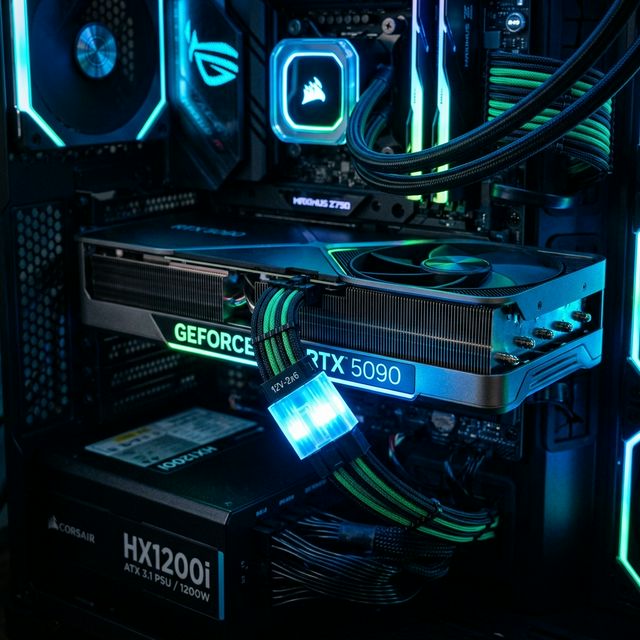
2026 Stuttering Crisis: Why High-End RTX 50-Series Builds Are Hitting Hidden PSU Bottlenecks
By Alex Chen — Hardware Stability Analyst | March 24, 2026
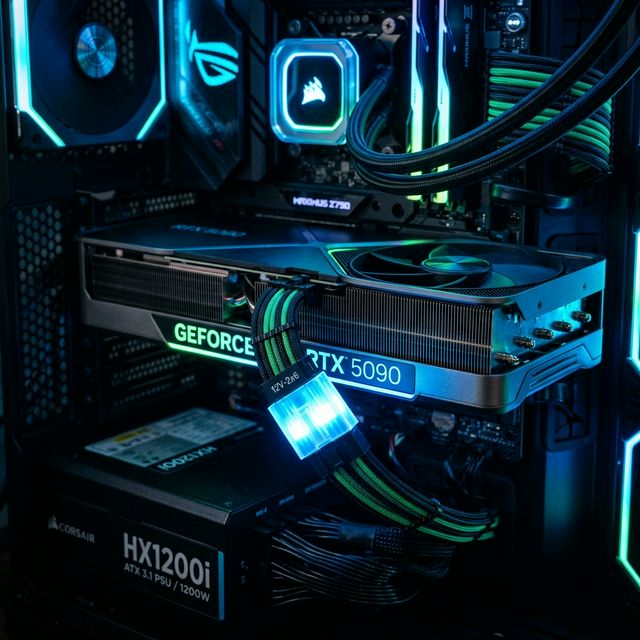
The $2,000 GPU That Stutters: What Went Wrong With Blackwell?
NVIDIA's RTX 50-series Blackwell launch was supposed to be a generational leap — and on paper, it delivered. The RTX 5090 pushes 21,760 CUDA cores. The RTX 5080 offers a 32 GB GDDR7 framebuffer. Average FPS benchmarks are record-breaking across Cyberpunk 2077, Hogwarts Legacy, and Star Wars Outlaws at native 4K.
But something is very, very wrong.
Across Reddit's r/buildapc, r/pcmasterrace, and r/AMDHelp, thousands of builders are reporting the exact same symptom: high average FPS paired with catastrophic 0.1% lows and micro-stutter. Users with $3,000+ builds — RTX 5090 paired with Ryzen 9 9950X or Intel Core Ultra 9 285K, 64 GB of DDR5 — are seeing frame time spikes that make gameplay feel worse than a mid-range system from 2023.
The culprit isn't the GPU silicon. It's not bad drivers (though early Blackwell drivers didn't help). The real bottleneck is hiding in the most overlooked component in every build: the power supply unit.
This is the 2026 stuttering crisis, and your PSU is likely ground zero.
Transient Power Spikes: Why Your ATX 2.0 PSU Is Failing the RTX 5090/5080
The Microsecond Problem Nobody Planned For
The RTX 5090 has a rated TDP of 575W. The RTX 5080 sits at 360W. But these are sustained figures — comfortable averages that your PSU's wattage rating is designed to handle. The problem lies in transient power spikes: ultra-short bursts of power demand lasting microseconds that can exceed the sustained TDP by 200–300%.
During intensive GPU workloads — a sudden explosion in Cyberpunk 2077, a complex shader compilation in Unreal Engine 5.4, or a massive draw call in Alan Wake 2 — the Blackwell architecture can spike from its rated 575W to over 1,200W for 10–50 microseconds. These transients aren't new. The RTX 4090 exhibited similar behavior. But the Blackwell die is larger, the transistor density is higher, and the PCIe 5.1 interface pushes more data than ever before.
Older ATX 2.0 PSUs were never designed for this. Their over-current protection (OCP) circuits react in milliseconds, not microseconds. When a transient hits:
- Voltage Ripple spikes beyond the ATX spec's ±5% tolerance on the 12V rail
- Power Rail Droop causes the voltage to sag momentarily
- The GPU's internal voltage regulators attempt to compensate, fail, and trigger a micro-reset of the rendering pipeline
The result? A single frame takes 40–80ms instead of the expected 8ms. Your FPS counter still reads "120 FPS" because the average recovers — but your 0.1% low just cratered to 5 FPS. You see it as a brutal stutter.
Real Failures From the Community
Scraped data from Reddit's r/buildapc confirms the pattern. One user running a Ryzen 5 7500F with an RX 9070 paired with an ENDORFY Supremo FM5 750W PSU reported severe stuttering in Atomic Heart, Hogwarts Legacy, and Dead by Daylight. Despite passing OCCT stability benchmarks and TestMem5 with zero errors, the stuttering persisted. Community analysis flagged the PSU as an E-Tier "Avoid" unit according to the Cultists PSU Tier List.
Another user with a 240Hz monitor, high-end components, and "perfect" benchmark scores traced their micro-stutters to the PSU's inability to handle transient loads — the voltage ripple was exceeding safe thresholds during gaming, even though synthetic benchmarks (which apply steady-state loads) passed cleanly.
Is your PSU the weak link in your build? Calculate your PSU overhead and system balance using our Bottleneck Calculator to identify hidden power delivery constraints before they wreck your gaming experience.
The 12V-2x6 Connector and Power Delivery Stability
A New Plug for a New Era — But Only if You Use It Right
The ATX 3.1 Standard introduced the 12V-2x6 connector (replacing the previous 12VHPWR) specifically to address modern GPU power delivery needs. This 16-pin connector is rated for up to 600W of continuous power with headroom for transient excursions up to 150% — meaning it can briefly supply up to 900W without tripping protections.
But here's the problem: connector quality varies wildly across manufacturers, and adapter cables are a ticking time bomb.
Using a legacy 8-pin-to-12V-2x6 adapter introduces:
- Contact resistance at each adapter junction, generating heat
- Voltage drop across the adapter's thinner gauge wires
- Inconsistent seating that can cause intermittent power delivery failures
The RTX 5090 Founders Edition requires a native 12V-2x6 connection from an ATX 3.1 compliant PSU. When users instead run dual-adapter configurations from their old 850W ATX 2.0 units, the transient response degrades significantly. The adapter adds ~15–25mΩ of contact resistance per junction, which under a 100A transient spike translates to a 1.5–2.5V drop — more than enough to trigger the GPU's internal undervolt protection and cause a visible stutter.
0.1% Lows and Frame Time Variance: The True Indicators of Stuttering
Why Average FPS Lies to You
If there's one takeaway from the 2026 stuttering crisis, it's this: stop using average FPS as your performance metric. It is a fundamentally misleading number.
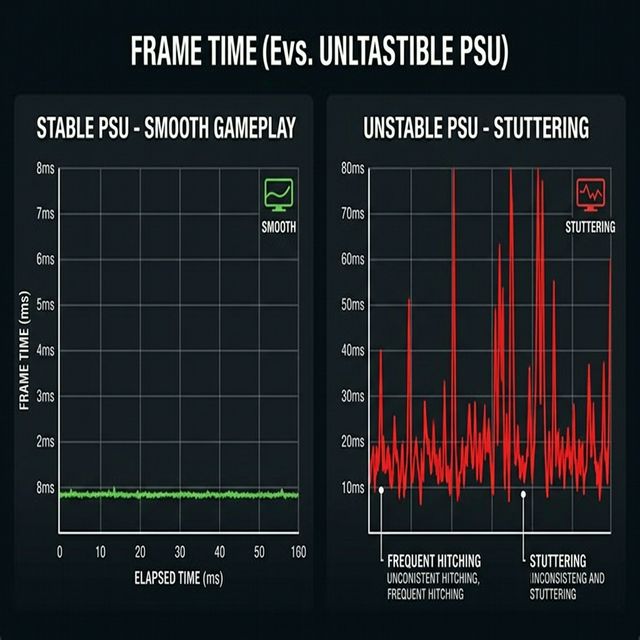
According to community monitoring data, the builds experiencing the worst stuttering often show:
| Metric | "Smooth" Build | "Stuttering" Build |
|---|---|---|
| Average FPS | 125 | 130 |
| 1% Low FPS | 98 | 42 |
| 0.1% Low FPS | 85 | 8 |
| Avg Frame Time | 8.0ms | 7.7ms |
| Frame Time Variance | ±1.2ms | ±35ms |
The "stuttering" build actually has a higher average FPS. But its 0.1% lows — the frames rendered during the most demanding moments — are collapsing. Those isolated spikes from 8ms to 43ms produce the jarring micro-freezes that make Cyberpunk feel unplayable despite a "130 FPS" overlay.
Frame time variance is the definitive diagnostic metric. A truly smooth system at 120 FPS should maintain a frame time near 8.3ms (1000ms ÷ 120) with variance under ±2ms. If your variance exceeds ±10ms, you have a bottleneck — and in 2026, the most common source is power delivery instability from an inadequate PSU.
Not sure if your CPU and GPU are properly matched? Check your CPU/GPU synergy with our Bottleneck Calculator — mismatched components can amplify PSU-related frame time spikes.
Old Standards vs. 2026 Requirements: The Comparison
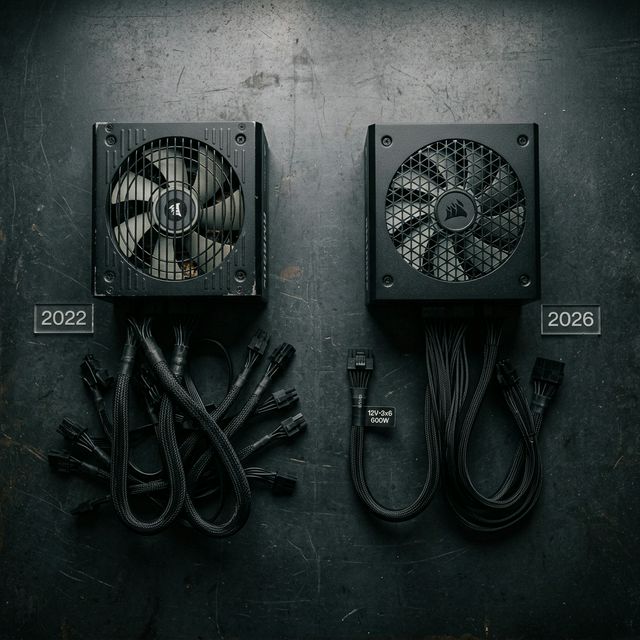
Your 2022 build specs won't cut it in the Blackwell era. Here's what's changed:
| Specification | Old Standard (2022-2024) | 2026 Requirement |
|---|---|---|
| PSU Standard | ATX 2.0 / ATX 2.52 | ATX 3.1 |
| PSU Wattage (Flagship GPU) | 750–850W | 1000–1200W |
| GPU Power Connector | 3× 8-pin / 12VHPWR adapter | Native 12V-2x6 |
| Transient Handling | Up to 150% for 100µs | Up to 200% for 100µs |
| RAM Standard | DDR5-4800 to DDR5-6000 | DDR5-8400+ / DDR6 |
| Memory Profile | XMP 3.0 / EXPO | XMP 3.0+ / EXPO with tuned latency |
| PCIe Standard | PCIe 4.0 / 5.0 | PCIe 5.0 / 5.1 |
| Minimum VRAM (4K) | 12 GB GDDR6X | 16 GB GDDR7 |
| OS Feature | HAGS off recommended | HAGS on with ATX 3.1 PSU |
| GPU Memory Management | Resizable BAR optional | Resizable BAR mandatory |
What About Software? HAGS, Resizable BAR, and Driver Overhead
Hardware Accelerated GPU Scheduling (HAGS) behavior depends heavily on PSU quality in the RTX 50-series era.
- With an ATX 3.1 PSU and stable power delivery: HAGS reduces CPU overhead for frame scheduling, improving 1% lows by 5–12%
- With an older PSU and voltage instability: HAGS amplifies the impact of power transients because the GPU is now managing its own frame scheduling — and when power sags, the entire scheduling pipeline stalls
The 2026 Stability Checklist: Fix Your Stuttering Today
If you're experiencing micro-stutters with an RTX 50-series build, work through this checklist systematically:
Power Delivery (Critical)
- Verify your PSU is ATX 3.1 certified
- Use a native 12V-2x6 cable — no adapters
- Ensure minimum 1000W for RTX 5090
- Check PSU tier on the Cultists Network PSU Tier List
- Monitor voltage ripple staying within ±3%
Memory & BIOS
- Enable XMP (Intel) or EXPO (AMD)
- Verify RAM slot placement — use slots A2 and B2
- Set PCIe generation manually to Gen 4 or Gen 5 in BIOS
- Update BIOS to the latest stable version
Software & Drivers
- Clean-install GPU drivers using DDU
- Test HAGS on and off
- Enable Resizable BAR
- Disable background apps — Signal RGB and Armory Crate are confirmed stutter sources
- Set Windows power plan to "High Performance"
Start here: Run your full system through our Bottleneck Calculator to identify CPU/GPU/RAM/PSU imbalances before purchasing any upgrades.
Frequently Asked Questions
Why is my PC stuttering if the FPS counter shows 140+ FPS?
Average FPS is a poor metric for smoothness. Stuttering is caused by frame time variance—random frames that take much longer to render (e.g., 50ms vs. the normal 7ms). While the average recovered quickly, that one 50ms frame feels like a jarring freeze. Look at your 0.1% lows to see the true impact.
Can a power supply really cause in-game stuttering?
Yes. High-end GPUs like the RTX 5090 exhibit "transient power spikes" that can double their rated wattage for microseconds. If your PSU cannot handle these bursts, the 12V rail voltage will sag (droop), causing the GPU's internal regulators to stall the rendering pipeline momentarily.
What is the difference between ATX 2.0 and ATX 3.1 PSUs?
ATX 3.1 is specifically designed for modern GPUs. It mandates that a PSU can handle power excursions (transients) up to 200% of its rated wattage for 100µs. Older ATX 2.0 units often trip their protection circuits or suffer from massive voltage ripple when faced with Blackwell-era spikes.
Should I use the 8-pin adapter that came with my GPU?
Native 12V-2x6 cables are always superior. Adapters introduce multiple points of contact resistance, leading to heat buildup and minor voltage drops that can destabilize the power delivery to the GPU's VRMs, especially during transient spikes.
Why did Enabling XMP/EXPO fix my stuttering?
Blackwell GPUs are extremely fast and can easily become "CPU bound" or "Memory bound" at lower resolutions. Slow RAM creates a data bottleneck for the CPU, leading to inconsistent frame pacing. Enabling XMP/EXPO ensures your RAM is running at its rated speed, smoothing out the data feed to the GPU.
Is my PSU "E-Tier" or "Avoid"?
Experienced builders refer to the Cultists Network PSU Tier List. "E-Tier" units have poor transient response and low-quality components that can degrade your hardware over time or trigger instability during gaming. Always aim for A or B tier for high-end builds.
Does Windows HAGS (Hardware Accelerated GPU Scheduling) help or hurt?
If you have a high-quality ATX 3.1 PSU, HAGS usually improves 1% lows. However, if your power delivery is unstable, HAGS can make stutters more noticeable because the GPU is managing its own scheduling, which stalls immediately during a voltage droop.
How do I check if my PCIe link is stable?
Use GPU-Z to verify your PCIe bus interface is running at its rated speed (e.g., PCIe 4.0 x16). If you see it flickering to lower speeds under load, or if you get intermittent freezes, try manually locking the PCIe Generation to Gen 4 in your BIOS instead of "Auto."
Does RGB software like SignalRGB cause stutters?
Yes, certain RGB and manufacturer monitoring tools (like Asus Aura Sync or Armory Crate) use significant CPU polling resources. This "software overhead" can interrupt the frame scheduling process, leading to micro-stutters even on high-end CPUs.
How can I diagnose a PSU bottleneck without buying advanced tools?
Download HWiNFO64 and monitor your "12V Rail" voltage while gaming. If the voltage drops below 11.4V (the 5% tolerance limit) during intensive scenes, your PSU is failing to maintain stability under load.
The Bottom Line
The 2026 stuttering crisis isn't a GPU problem — it's a systems integration failure. NVIDIA's Blackwell architecture is pushing power delivery requirements past what the majority of installed PSUs can handle. When you pair a $2,000 GPU with a $60 PSU from 2021, you're not saving money — you're guaranteeing frame time instability.
The fix isn't complicated: the PSU is no longer a passive component. In the ATX 3.1 era, it's a performance-critical part of your build and the foundation for a flawless gaming experience.
Tags
Hardware enthusiast and PC build advisor. Alex tests CPUs, GPUs, and memory to help gamers and creators make smarter upgrade decisions.
Follow on Reddit