
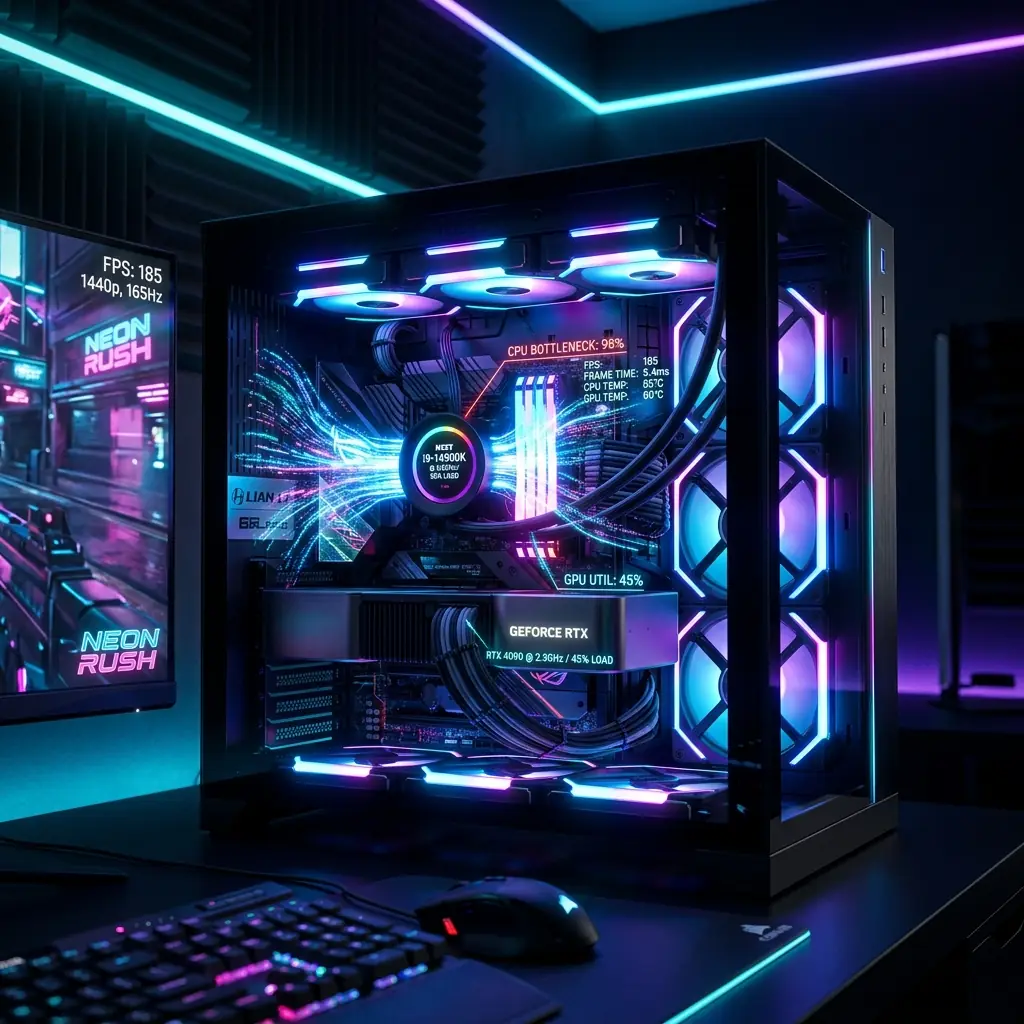
Fortnite is one of the most optimized competitive games on PC. And yet, players with high-end hardware still report the same issue: High FPS on paper. Unstable performance in real gameplay. The problem isn’t raw power. It’s how that power is being used.
If your game feels inconsistent during fights, builds, or fast movement, you’re not dealing with a “weak PC.” You’re dealing with a system imbalance.
The Core Misconception: FPS vs Frame Stability
Most players rely on a single number: FPS. But performance is not defined by averages. It’s defined by consistency.
A system delivering 140 FPS average but inconsistent frame timing will feel worse than a stable 90–120 FPS.
This is why many high-end systems feel “off” despite strong benchmarks.
Why High-End PCs Still Drop Frames
Fortnite’s performance behavior is not purely GPU-driven. In real gameplay scenarios, the limiting factor shifts.
1. CPU Bottleneck Under Dynamic Load
During idle or low-load scenes, your system appears stable. But in actual gameplay:
- Multiple players
- Rapid building
- Physics interactions
- Input processing
The CPU becomes the primary bottleneck. When CPU usage spikes:
- Frame delivery slows
- GPU utilization drops
- FPS becomes inconsistent
This is where most performance issues originate.
2. Background Resource Competition
Modern systems rarely run games in isolation. Common background processes include:
- Browsers
- Communication apps
- Overlays
- Recording tools
Each one consumes CPU cycles and memory bandwidth. Individually minor. Collectively disruptive. Fortnite reacts strongly to these fluctuations, especially during high-load moments.
3. Frame Time Instability
This is the hidden layer of performance. Even with high FPS:
- Uneven frame intervals
- Delayed frame delivery
result in a visible stutter. The issue is not “how many frames,” but how evenly they arrive.
4. Update Variability and Engine Behavior
Fortnite evolves continuously. Engine updates can:
- Shift CPU load patterns
- Change rendering behavior
- Impact stability differs across hardware
This explains why performance can degrade without any hardware change.
5. Input Processing Overhead
High polling rate devices (e.g., 1000Hz mice) increase input frequency. In CPU-limited scenarios, this means more interrupts and more processing overhead. This does not affect every system, but under load, it can contribute to instability.
The Bottleneck Pattern Most Players Miss
A typical high-end configuration might include an RTX-class GPU, a mid-generation CPU, and sufficient RAM.
Expected result: smooth gameplay.
Actual result: inconsistent performance.
Why? Because the system is not balanced under real load. When your CPU hits 95–100% usage and your GPU is underutilized, the GPU is effectively waiting. This is the definition of a bottleneck.
Performance Breakdown
| Scenario | Root Cause | System Behavior |
|---|---|---|
| FPS drops during fights | CPU saturation | Delayed frame delivery |
| High FPS but unstable feel | Frame time inconsistency | Micro-stutter |
| Smooth lobby, unstable match | Load scaling issue | The CPU cannot sustain the demand |
| Drops during camera movement | Input + rendering load | CPU spike |
Practical Fixes That Actually Work
This is not about random tweaks. It’s about control.
1. Identify the Limiting Component
Monitor usage during gameplay:
- CPU near maximum + low GPU usage → CPU bottleneck
- High GPU usage → graphics-bound
Without this step, all changes are guesswork.
2. Reduce System Load
Before launching the game:
- Close unnecessary applications
- Disable overlays
- Minimize background activity
This restores processing headroom.
3. Use a Consistent Rendering Approach
Switching between modes or mixing settings introduces instability. Choose:
- Performance Mode (CPU relief)
- DX12 (modern hardware optimization)
Then tune within that environment.
4. Prioritize Stability Over Peak FPS
Uncapped FPS often introduces fluctuation. A controlled range (e.g., 120–144 FPS) typically produces better frame consistency.
5. Optimize Input Load (If Applicable)
If instability appears during rapid movement:
- Reduce polling rate (e.g., 1000Hz → 500Hz)
- Test impact under real gameplay
This is situational, but measurable.
Deep Dive: Understanding the Real Cause
For a complete breakdown of all causes, testing methods, and step-by-step fixes, you can review this detailed guide on Fortnite FPS drops.
Looking Ahead: Why This Matters Beyond Fortnite
This behavior is not unique to Fortnite. Modern titles are increasingly CPU-intensive, simulation-heavy, and dependent on system balance.
Games like GTA VI are expected to push this even further, especially in large open-world environments. If you're planning, this breakdown of GTA 6 PC requirements and performance explains what kind of hardware you’ll actually need.
Final Assessment
FPS drops on high-end PCs are rarely caused by weak hardware. They are typically the result of CPU limitations under dynamic load, inconsistent frame delivery, and inefficient system resource usage.
Once you shift focus from raw FPS to frame stability and system balance, the problem becomes predictable and fixable.
Tags

The editorial team reviews hardware specifications, calculator assumptions, source links, and practical limitations before publication.
Editorial methodology